If you run a business, you know how much of your day goes on small jobs. You reply to emails. You chase leads. You update the CRM. Then you do it all again tomorrow.
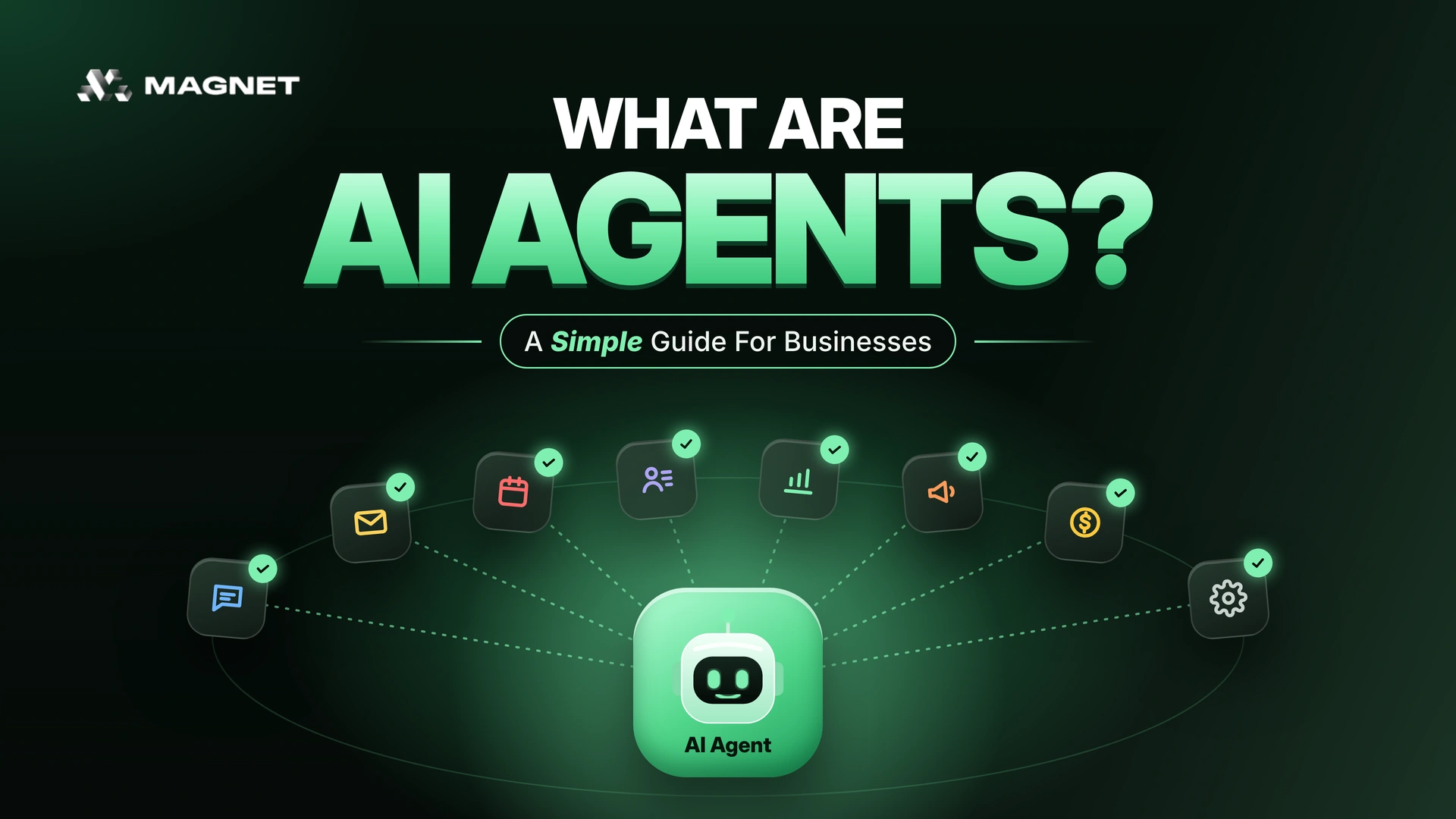
AI agents can take a lot of that off your plate. An AI agent is basically AI that does the work, not just talks about it. Like replying to a new lead, booking them in for a call and updating your CRM, without anyone on your team touching it.
And it doesn't stop at small jobs. AI agents can now work across your whole Full Stack Growth System, right up to closing the deal. No wonder 52% of organisations already use them, according to a Google Cloud study. We use them at Magnet too.
So how do AI agents actually work, and does your business need one? Let's keep it simple.
What Is An AI Agent?
Here's the simplest way we can put it. A normal AI tool gives you an answer. An AI agent gives you a result. You set the goal, and it does the steps to get there.
Here's a quick example. A new lead fills in your contact form at 11pm.
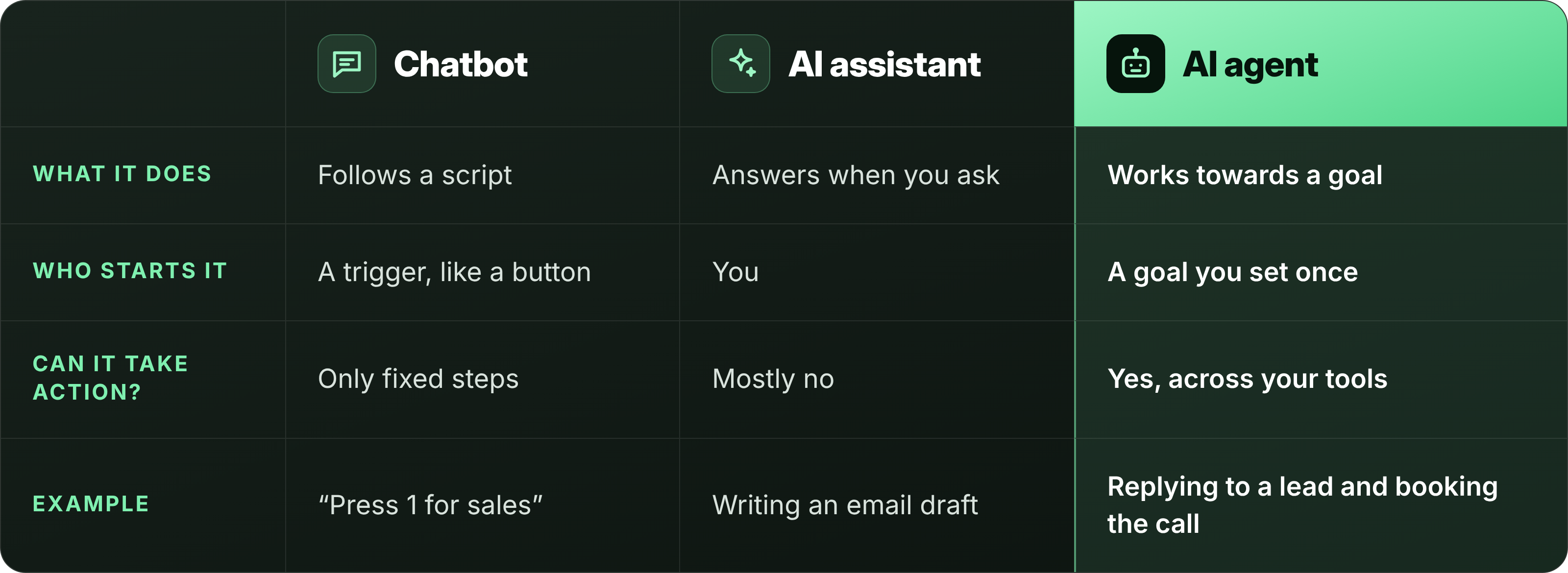
- A chatbot sends a fixed reply: "Thanks, we'll be in touch."
- An AI assistant, like ChatGPT, can write a great reply, but only if someone opens it and asks.
- An AI agent reads the enquiry, checks if the lead is a good fit, replies with the right answer, books a call in your calendar and adds the lead to your CRM. Nobody has to ask.
AI Agent vs AI Assistant vs Chatbot
How AI Agents Work
You don't need to be techy to use an AI agent. But it helps to know what's going on behind the scenes. Every AI agent does the same four things:
- It gets a goal. For example: "Reply to every new lead within five minutes and book the good ones into a sales call."
- It gathers information. It reads the enquiry, checks your CRM and looks at your calendar.
- It decides what to do. Is this lead a good fit? Do they need a call or just an answer?
- It takes action. It sends the reply, books the call and updates your records. Then it waits for the next lead.
The agent can only work with the tools and data you connect it to. If your customer data is spread across five apps, the agent only sees part of the picture. That's why we always say to get your data into one place first.
AI agents make your work faster. They don't automatically make it better. That still comes from clear goals and good data.
AI Agent Examples For Every Stage Of Growth
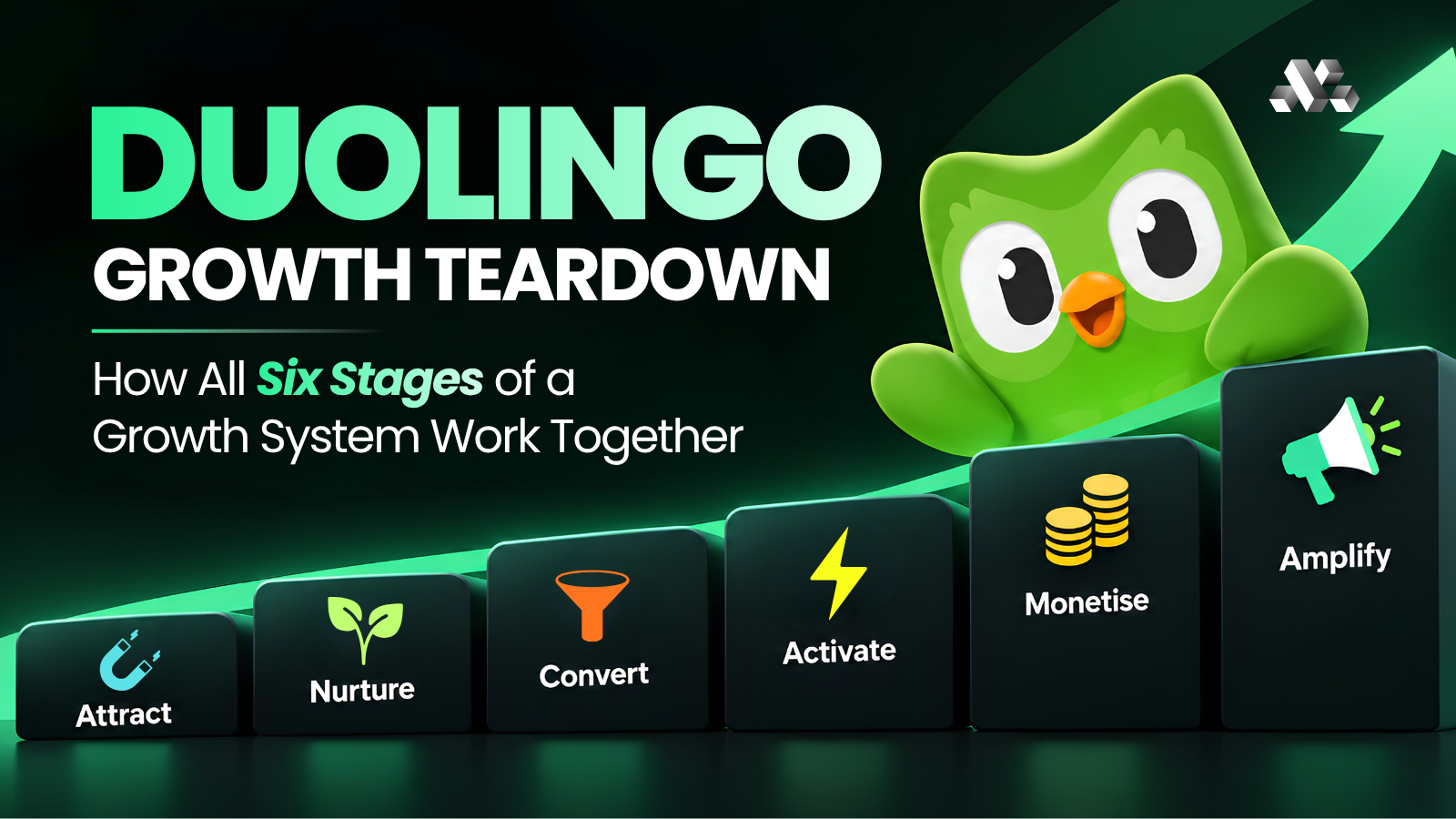
AI agents can help at every stage of our Full Stack Growth System. Here's what that could look like for you.
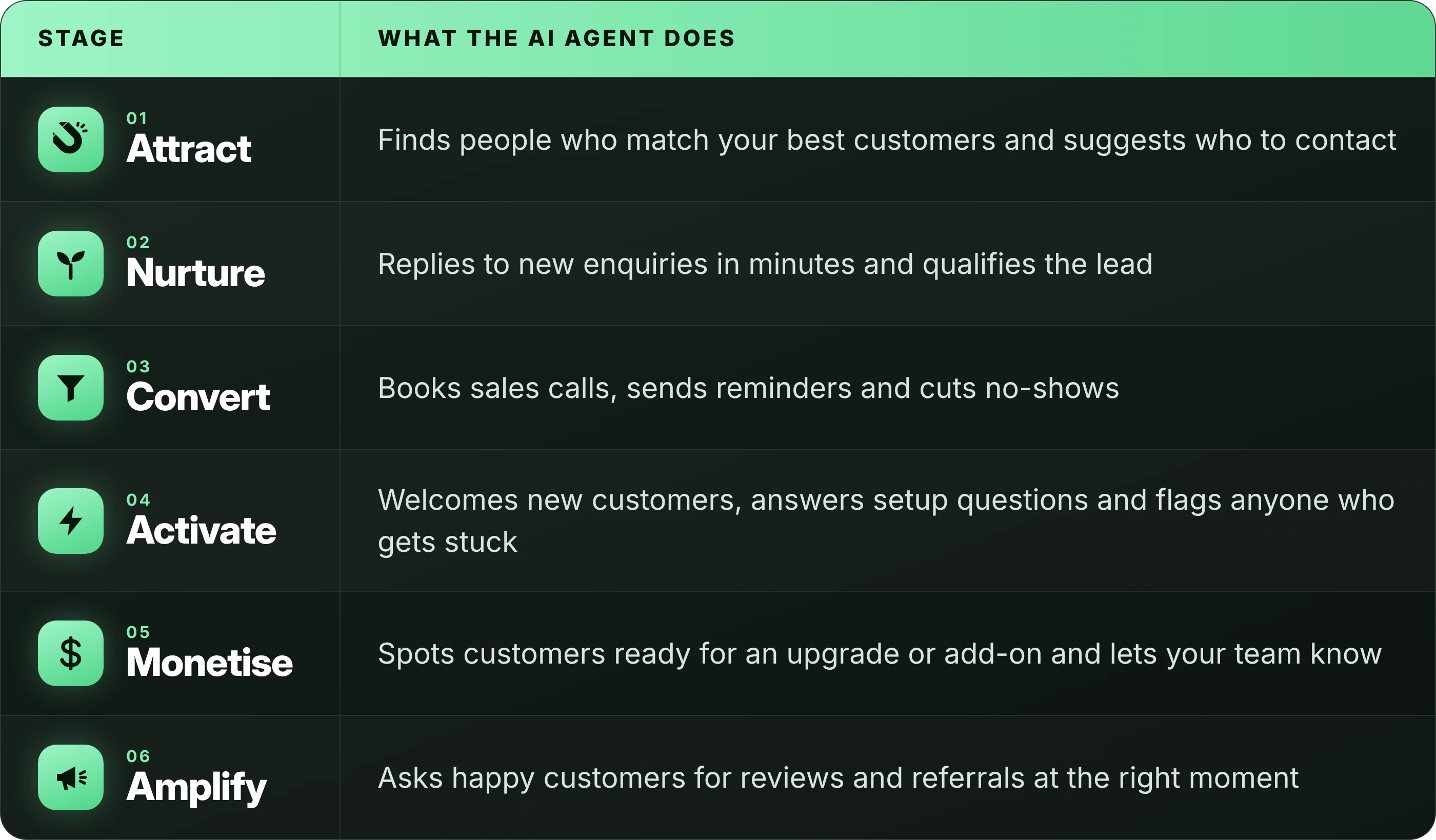
Customer service is a good place to start. The same questions come in every day, so an agent can take a lot off your team's plate, fast.
How To Start Using AI Agents In Your Business
- Pick one job that eats your team's time. Good first jobs are repetitive and happen every day: replying to new enquiries, answering common customer questions, or booking calls.
- Write down the rules. What should the agent do in each situation? When should it hand over to a person? If you can't explain it to a new staff member, an agent won't get it right either.
- Connect it to your data. The agent needs access to the right information, like your CRM, calendar or help articles. Clean data in means better answers out.
- Start with a person checking the work. Let the agent draft and suggest for the first few weeks. Once you trust it, let it act on its own for simple cases.
- Measure one number. Pick something clear, like reply time, booked calls or tickets solved without help. If that number doesn't improve, change the setup or stop.
Where AI Agents Go Wrong
AI agents are useful, but they're not magic. It's easy to switch one on, get messy results, and decide AI "doesn't work". Most of the time, the setup is the real problem.
Here are the mistakes to watch for:
- Buying the label, not the product. Lots of tools call themselves AI agents now, when they're really just chatbots with a new name. Ask any vendor exactly what their agent can do on its own.
- No clear goal. "Use AI" isn't a goal. "Reply to every lead within five minutes" is.
- Messy data. An agent working from wrong or missing data will make confident mistakes.
- No way to reach a person. Customers get frustrated fast when they can't get past a bot. Always build in a handover.
- Too much, too soon. Start with one job. Add more once the first one works.
FAQs
What is an AI agent in simple terms?
It's AI that can do a task for you, not just answer a question. You give it a goal, and it takes the steps to reach it, like replying to a lead and booking a call.
What's the difference between an AI agent and a chatbot?
A chatbot follows a fixed script. An AI agent works towards a goal, makes decisions along the way, and takes action in your other tools.
Are AI agents safe to use with customers?
They can be, if you set clear rules, connect them to the right data, and let customers reach a person when they need one. Start with a person checking the work.
Do I need a developer to use AI agents?
Not always. Many tools you may already use, like your CRM or helpdesk, now include AI agents you can switch on. More complex agents that connect lots of systems usually need expert help.
What's the best first AI agent for a business?
One that handles a repetitive job your team does every day. Replying to new enquiries and answering common customer questions are good places to start.
So, Do You Need An AI Agent?
In short, AI agents are AI that actually does stuff. Set up properly, they reply faster, never forget a follow-up, and give your team time back for the work that needs a real person.
And the trick isn't picking the fanciest tool. It's starting with one clear job, clean data, and someone keeping an eye on the results.
At Magnet, we're an AI-run growth company. We help businesses put AI to work across every stage of growth, from the first reply to the repeat sale. Let's work together → Click Here